AI document processing: stop retyping invoices and forms
A plain-English guide to AI document processing: which documents are worth automating, how to test accuracy, the review queue, and real per-page prices.
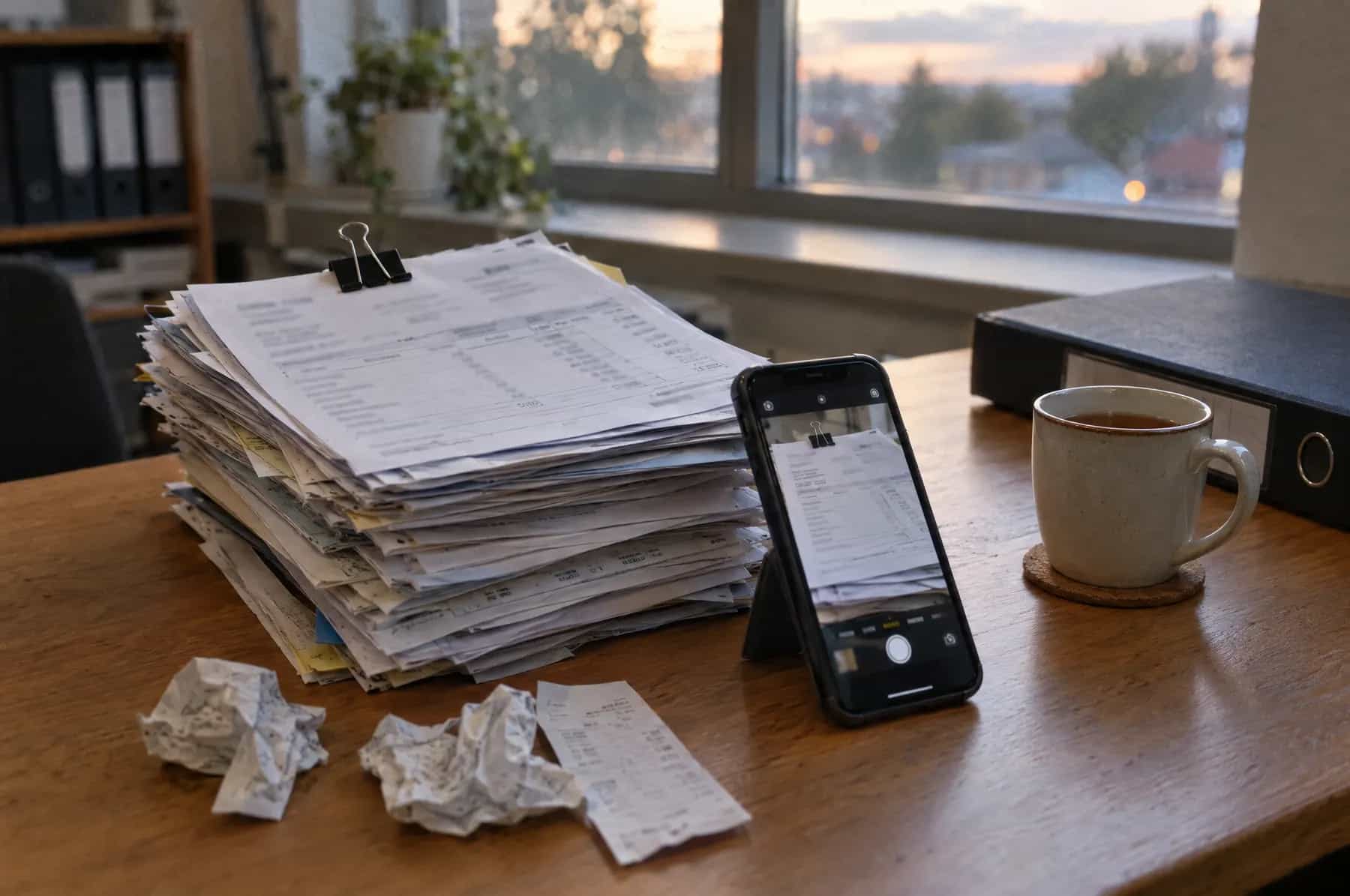
AI document processing is software that reads your invoices, receipts, forms and contracts, pulls out the details you need, checks them against your own records, and puts them into your systems, so nobody has to retype them. It works best on documents that arrive every week and look roughly alike. The part that makes it safe is a short review queue: anything the software isn't sure about, or anything that fails a check, goes to a person before it's filed or paid.
Key takeaways
- Start with one document type that arrives every week, such as supplier invoices. Not everything is worth automating.
- Check what your accounting software already does. Xero and QuickBooks both read receipts and bills, and for many small businesses that's enough.
- Test accuracy on 50 to 100 of your own documents before you trust it, and count how often it is confidently wrong.
- Per-page fees are small: $1.50 to $70 per 1,000 pages at the time of writing. Budget for the build and the review time instead.
- Some checks matter more than any accuracy score. A changed bank account should stop a payment however well it was read.
What is AI document processing?
It's an assistant that does the copying for you. A document comes in by email, upload or phone photo. The software reads it, decides what kind of document it is, finds the fields you care about (supplier, date, order number, total, tax), checks them, and sends them on: a draft bill in your accounts, a new record in your CRM, a row in a spreadsheet.
You'll also see it called intelligent document processing, or IDP. The older technology inside it is OCR, optical character recognition, which turns a picture of a page into text. OCR on its own reads the words but has no idea which number is the total. The AI part is everything after: understanding the page, labelling each value, and knowing when to ask a person.
Which documents are worth automating?
The best candidates arrive often, follow a pattern, and get typed into a system by hand today. One-off letters and documents that need judgement are poor candidates.
| Document | Fit | What to pull out | Watch out for |
|---|---|---|---|
| Supplier invoices | Strong | Supplier, invoice number, dates, order number, net, tax, total, bank details | Duplicates, changed bank details, invoices with no order |
| Receipts | Strong, but your accounting app may cover it | Merchant, date, amount, tax, category | Faded thermal paper, foreign currencies |
| Purchase orders and delivery notes | Strong when matched to invoices | Order number, items, quantities | Part deliveries and substitutions |
| Bank and card statements | Good | Date, description, amount, balance | A direct bank feed is better if your bank offers one |
| Application and onboarding forms | Good if the layout is fixed | Names, addresses, answers, signatures present | Handwriting, missing pages, personal data rules |
| IDs, certificates and licences | Good with a specialised model | Name, number, expiry date | Privacy, and keeping copies only as long as allowed |
| Contracts and leases | Partial | Parties, start and renewal dates, notice periods, fees | Anything that needs a lawyer's reading stays with a lawyer |
| Handwritten notes and job sheets | Mixed | Whatever is legible | Test before you promise anyone anything |
| One-off letters | Weak | Not worth building for | Read them yourself |
If you aren't sure where to start, our method for scoring which tasks to automate first works as well for paperwork as for anything else: how often it happens, how long it takes, and what a mistake costs.
Is your accounting software's capture enough?
Often, yes. Check this before you buy anything.
Xero includes smart document capture on every small business plan in the US at no extra cost, according to its own page: you photograph a receipt, forward a bill to your Xero email address or drag in a file, and it reads the amount, date and other details, checks them against your bank records and attaches the original. QuickBooks Online does much the same with its receipt capture: upload, snap a photo in the app, or have staff forward receipts to a QuickBooks email address, and it creates a transaction for you to review. Intuit notes the feature is limited on its Free and Lite plans.
Built-in capture is enough when your documents are receipts and simple bills, the volume is modest, and the data only needs to land in your accounts. You need more when:
- the details must be checked against something else, such as purchase orders, delivery notes or a price list;
- the documents aren't financial, such as application forms, job sheets, certificates or contracts;
- the data has to go somewhere other than your accounts, such as a CRM, a property system or a spreadsheet the team works from;
- the volume is high enough that a few minutes per document adds up to days each month.
One more thing is changing the picture in Europe. Several EU countries now require structured e-invoices between businesses, which software can read without any AI at all. In France, every company must be able to receive electronic invoices from 1 September 2026, and small and medium-sized companies must start issuing them from 1 September 2027, according to the French government's business portal. If most of your suppliers will send e-invoices, the AI only needs to handle the rest: receipts, paper, and suppliers outside the scheme.
How does it work? The review queue
A sensible setup doesn't trust every value it reads. Each field gets a confidence score, which Microsoft describes as an estimated probability between 0 and 1 that the value is correct, and it says confidence can be used to decide whether to accept a value automatically or flag it for human review. You pick the line. Above it, the value goes straight through. Below it, a person sees the original page beside the value and confirms or corrects it in seconds.
Confidence alone isn't enough, though. The second layer is checks against your own records: is this a known supplier, have we seen this invoice number before, does it match an open order, do net and tax add up to the total, is the bank account the one on file? Here is what that looks like for one invoice:
ONE INVOICE, READ
- SupplierFILED0.99Harbour Timber Co. · Matches a supplier on file
- Invoice no.FILED0.98HT-20417 · Not seen before, so not a duplicate
- DateTO A PERSON0.640?/11/2026 · Smudged digit, below the 0.90 line
- Order no.FILED0.96PO-5521 · Matches an open purchase order
- NetFILED0.991,240.00 · Agrees with the order
- TaxFILED0.97248.00 · 20% of net, as expected
- TotalFILED0.991,488.00 · Net plus tax adds up
- Pay toHELD0.99Account ending 7731 · Not the account on file. Call the supplier on a number you already hold
6 FILED · 1 TO A PERSON · 1 HELDNOTHING PAID UNTIL ALL CLEAR
The last line is the one that saves money. A changed bank account on an otherwise normal invoice is a classic sign of invoice fraud, and it was read with 0.99 confidence. That's why the rule lives outside the AI. Our guide to deepfake and AI scams aimed at businesses shows how often these requests arrive, and how a call-back on a number you already hold stops them.
How accurate is AI document processing?
Vendors quote high accuracy figures, measured on their own test documents. Yours will be different: crumpled receipts, scanned faxes, three suppliers who put the total in odd places. The only number worth trusting is one measured on your own paperwork. Here is a test you can run in an afternoon, with us or on your own:
- Collect 50 to 100 real documents of one type, including the worst ones: phone photos, scans, multi-page invoices, the supplier whose layout everyone hates.
- Write the answer key. In a spreadsheet, type the correct value for every field you need from every document. This is tedious, and it's the whole test.
- Run the documents through the tool you're considering, and export what it read, with confidence scores.
- Compare field by field, and fill in a scorecard like the one below.
- Set your confidence line so the confidently wrong count on money fields (totals, tax, bank details) is zero, and send everything below it to review.
- Repeat on a fresh sample every month or two, because suppliers change their layouts.
Here's an example scorecard for 100 invoices with 8 fields each. The figures are illustrative:
| Measure | How to work it out | Example result |
|---|---|---|
| Field accuracy | Fields read correctly ÷ all fields | 776 of 800 = 97% |
| Straight-through rate | Invoices with every field above the line ÷ all invoices | 71 of 100 = 71% |
| Caught errors | Wrong fields that fell below the line, so a person saw them | 21 of 24 |
| Confidently wrong | Wrong fields above the line, which would have gone straight through | 3 of 800 |
Field accuracy is the number vendors like. Confidently wrong is the one that matters, because those are the mistakes nobody sees. In this example three slipped through; the fix is to raise the line for those fields or add a check (such as net plus tax equals total) that catches them.
How much does AI document processing cost per page?
Less than most owners expect. These are list prices for the three biggest cloud services:
Chart
What the big document AI services charge per 1,000 pages
- Text only: Google Enterprise Document OCR, Azure Read or Amazon Textract$1.50
Reads the words. Doesn’t know which number is the total.
- Amazon Textract Analyze Expense (invoices and receipts)$10
- Azure prebuilt invoice or receipt model$10
- Google Form Parser$30
- Custom extractor trained on your documents (Google or Azure)$30
- Amazon Textract forms, tables and queries together$70
- Google invoice parser$100
$0.10 per invoice of up to 10 pages, so it costs less per page on long invoices.
Show the data as a table
| Service | Price per 1,000 pages |
|---|---|
| Text only: Google Enterprise Document OCR, Azure Read or Amazon Textract | $1.50 |
| Amazon Textract Analyze Expense (invoices and receipts) | $10 |
| Azure prebuilt invoice or receipt model | $10 |
| Google Form Parser | $30 |
| Custom extractor trained on your documents (Google or Azure) | $30 |
| Amazon Textract forms, tables and queries together | $70 |
| Google invoice parser | $100 |
Now the arithmetic for a fictional building contractor that receives 400 supplier invoices a month, two pages each on average. The minutes and the hourly cost are assumptions to replace with your own:
| By hand | With AI document processing | |
|---|---|---|
| Page fees | None | 800 pages × $10 per 1,000 = $8 a month on a prebuilt invoice model, or $24 on a custom extractor |
| Typing and checking | 4 minutes × 400 invoices = about 27 hours | Review queue: 30% of invoices × 1 minute = about 2 hours |
| Cost of that time at $25 an hour | about $670 a month | about $50 a month |
The page fees are a rounding error. What you're really paying for is the build: the field list, the checks, the connection to your accounts or order system, and the review screen. That's a one-off cost, and it's worth asking for it in writing with the accuracy test included. For context, the benchmarking organisation APQC puts the median full cost of processing one supplier invoice at $6.00, across 5,846 organisations, and that figure covers approval, payment and overheads as well as typing. Automating the reading takes out one slice of it, usually the most tedious one.
Can ChatGPT, Claude or Gemini just read my documents?
They can, and they're good at it. You can paste a PDF into a business plan of ChatGPT, Claude or Gemini and ask for the supplier, date and total. For ten documents that's a fine answer. For four hundred a month, on its own, it isn't:
- Someone still has to copy and paste, in and out, for every document.
- There's no confidence score per field, so you can't build a review queue on it directly.
- A general model can fill a gap with a plausible value that isn't on the page, such as an invoice number in the right format that doesn't exist.
- Data rules differ by plan. Consumer plans may use your documents for training unless you opt out. Our comparison of ChatGPT, Claude, Gemini, Grok and Muse sets out which plans do.
In a proper pipeline, a model like these can still do the reading, often very well on messy layouts. The difference is what surrounds it: rules that check every value against your records, and a person who confirms anything that fails.
Keeping documents private
Invoices, IDs and application forms are full of personal and commercial data. Before anything is built, settle four things: which service reads the documents and in which region it stores them, whether that service may keep or train on them (business and cloud API terms usually say no; check yours), how long you keep the originals, and who can see the review queue. If documents also need to answer questions later, such as "what's our notice period with this supplier?", a private assistant built on your own documents can do that without sending them to a public chatbot. None of this is legal advice; your data protection rules depend on where you and your customers are.
What we would do
For most small businesses, in this order:
- Use what you already pay for. Turn on your accounting software's capture for receipts and simple bills, and see how far it gets you.
- Pick the one document type that still eats hours, usually supplier invoices matched to orders, or a form your team re-keys into another system.
- Run the accuracy test on your own samples before any money changes hands.
- Go live with a review queue and the bank-detail rule from day one. Widen the confidence line only when the monthly sample shows it's safe.
- Add the next document type once the first has run cleanly for a month.
That's how we build AI document processing for clients: your documents first, a written accuracy result, then a quote. When the same documents also trigger work, such as approvals, reminders or follow-ups, AI automation picks up from there. Accountants and bookkeepers will find a practice-specific version in our guide to AI for accountants.
Next Step
Send us your worst documents
Tell us what you retype and where it goes. We'll come back with an accuracy test plan and a written quote, in your currency.
Frequently Asked Questions
What is AI document processing?
Software that reads documents such as invoices, receipts, forms and contracts, finds the details you need, checks them against your rules and records, and puts them into your accounting, CRM or other systems. It's also called intelligent document processing (IDP). Anything it isn't sure about goes to a person to confirm.
What is the difference between OCR and AI document processing?
OCR (optical character recognition) turns a picture of a page into text. It reads the words but doesn't know which number is the total or which date is the due date. AI document processing adds that understanding: it labels each value, checks it, and sends it to the right place. OCR is usually one step inside it.
How accurate is AI document processing?
On clean, typed invoices, good services get most fields right, but the honest answer is that it depends on your documents. Test it on 50 to 100 of your own, including the worst ones, and measure three numbers: field accuracy, how many documents go through untouched, and how often it is confidently wrong. The last one decides how much you can trust it.
How much does AI document processing cost?
The per-page fees are small. At the time of writing (October 2026), the big cloud services charge from $1.50 per 1,000 pages for plain text reading to $10 to $70 per 1,000 pages for invoice, form and custom extraction. The larger costs are building the pipeline, connecting it to your systems, and the time someone spends on the review queue.
Can I use ChatGPT to extract data from PDFs?
For a handful of documents, yes, on a business plan that doesn't train on your data. For a steady flow it's the wrong tool on its own: you'd be copying and pasting, there's no confidence score per field, and a general model can fill a gap with a plausible value that isn't on the page. In a proper pipeline a model like that can do the reading, with rules and a review queue around it.
Is there an AI that can fill in documents?
Yes. The same pattern works in reverse: AI can take details you already hold, such as a customer record or an earlier form, and fill in a new form or template. Treat it like extraction: check every filled form before it's sent or signed, and keep a person responsible for anything legal or financial.
Next Action
Want help implementing this in your business?
Tamkoz builds AI phone receptionists, bespoke chatbots, and business automations. All work is quoted in writing before starting.