Paperwork that reads itselfAI document processing for businesses and individuals
AI that reads invoices, receipts, forms and contracts, pulls out the details you need and files them where they belong, with a person checking anything it isn’t sure of.
WHAT IT DOESLOG
Supplier invoice PDF
→ Read, checked, sent to your accounts
Photo of a receipt
→ Logged with date, amount and tax
Signed application form
→ Fields into your CRM
Contract
→ Key dates and terms flagged
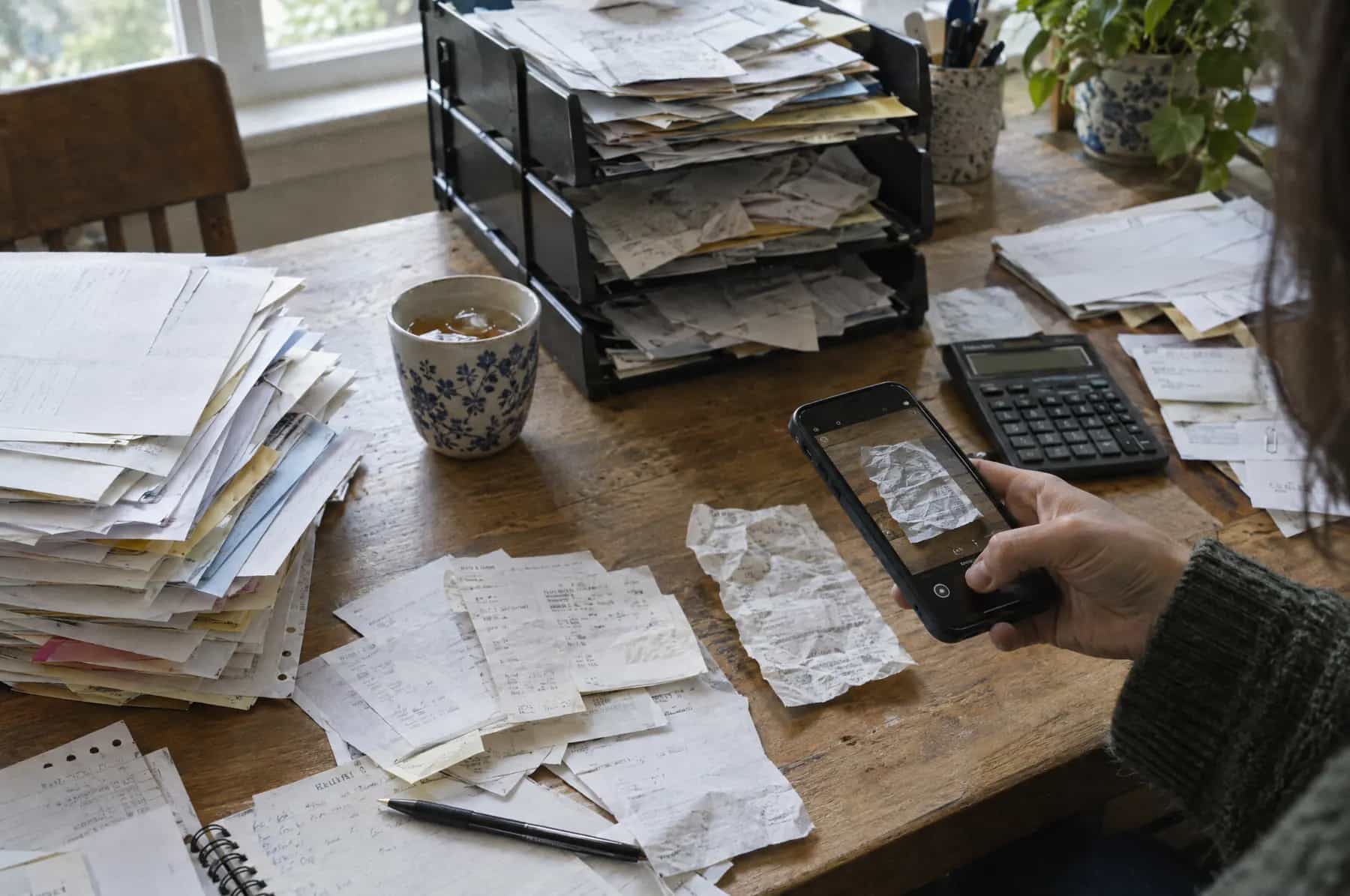
“Every invoice, receipt and form gets typed in by hand. It’s slow, it’s dull, and one wrong digit costs you an afternoon.”
SOUND FAMILIAR?
What is AI document processing?
AI document processing (also called intelligent document processing) means software that reads your documents the way a careful assistant would. It takes invoices, receipts, forms, statements and contracts, whether PDFs, scans or phone photos, finds the details you need, checks them against your rules and records, and puts them into your accounting, CRM or other systems. Anything it isn’t sure about goes to a person to confirm, so nothing wrong slips through.
Tamkoz builds AI document processing for businesses and individuals. We start with your real documents, agree exactly which details matter and where they go, measure accuracy on your own samples before you commit, and set up a short review queue for the cases that need a human eye.
THE JOBS IT TAKES ON
AI DOCUMENT PROCESSING
Supplier invoice PDF
→ Read, checked, sent to your accounts
Photo of a receipt
→ Logged with date, amount and tax
Signed application form
→ Fields into your CRM
Contract
→ Key dates and terms flagged
Blurry scan
→ Sent to a person to check
Paperwork that AI document processing clears
If someone in your business copies information from documents into software, this is for you.
Supplier invoices typed into your accounts by hand
→ Read, checked against the order and entered as a draft bill, ready to approve.
Shoeboxes of receipts at the end of the quarter
→ Photographed as you go, read and categorised with date, amount and tax.
Application and onboarding forms re-keyed into a system
→ Fields extracted, checked for gaps and created as a record, with missing items chased.
One wrong digit costing an afternoon to find
→ Totals, tax and order numbers cross-checked automatically before anything is filed.
Contract dates nobody tracks
→ Renewal and notice dates pulled out and added to a calendar with reminders.
Statements reconciled line by line
→ Transactions extracted and matched to your records, with only the mismatches left for you.
One invoice, read and filed
A builder’s supplier invoice, from inbox to accounts, with the odd one out sent to a person.
STEP 1
Invoice arrives
A PDF from a supplier lands in the accounts inbox, along with 30 others this week.
STEP 2
AI reads it
Supplier: Northside Timber · Invoice 10482 · Total $1,575 · Due in 30 days
STEP 3
Checks it
Matched to purchase order 2291. Quantities and prices agree. Tax adds up.
STEP 4
Files it
Draft bill created in your accounts software, with the PDF attached.
STEP 5
Flags the odd one
A price changed on line 3, so this one waits for you instead of going through.
SAMPLE WORKFLOW · A FICTIONAL BUILDING CONTRACTOR
Who uses AI document processing?
Any business, or individual, buried in documents that all look roughly the same.
Accountants and bookkeepers
Client receipts, invoices and statements read and posted, ready for review.
Builders and contractors
Supplier invoices matched to purchase orders and delivery notes before payment.
Wholesalers and online sellers
Purchase orders, packing lists and supplier documents processed without re-keying.
Letting and property managers
Tenancy applications, references and certificates checked and filed with expiry dates.
Recruiters and HR
CVs, right-to-work documents and timesheets read into your system.
Law and insurance
Key terms and figures pulled from contracts, claims and policies for faster review.
Sole traders and individuals
Receipts and invoices captured and tidied for your tax return.
A GOOD FIT IF…
- You retype details from PDFs, scans or photos
- The same document types arrive every week
- Data-entry mistakes cost you money
- You need a record of who checked what
What we build
A field list for each document type
Exactly what to extract, the checks each field must pass and where it goes.
An extraction pipeline
Documents collected from an inbox, upload folder or app, read and turned into structured data.
Checks against your records
Totals, tax, order numbers and suppliers matched to what you already hold.
A review queue
Anything uncertain or unusual shown to a person, side by side with the original, to confirm in seconds.
Connections to your systems
Data sent to your accounting, CRM or other software, or exported as a clean file.
An accuracy report
Measured on your own samples before go-live, and tracked afterwards.
How we build document processing
We measure on your real documents before you commit to anything.
- ORDER 001START
1×Collect samples
You send us a few dozen real examples of each document type, including the awkward ones: blurry photos, odd layouts, handwriting.
- ORDER 002BUILD
1×Agree the fields
We list exactly what to pull out of each document, the checks it must pass, and where each piece of information should end up.
- ORDER 003CHECK
1×Build and measure
We build the extraction and checks, run every sample through, and show you how often each field comes out right.
- ORDER 004GO LIVE
1×Run with a reviewer
Documents flow straight through when every check passes. Anything uncertain lands in a short review queue for a person.
What it connects to
Documents come in from wherever they arrive today and go out to the systems you already use.
- WHERE DOCUMENTS ARRIVE
- Email inboxesUpload foldersGoogle DriveOneDrivePhone photosScanners
- ACCOUNTING
- XeroQuickBooksSageFreeAgent
- CRMS AND BUSINESS SYSTEMS
- HubSpotSalesforceAirtableProperty and practice systems
- SPREADSHEETS AND DATABASES
- Google SheetsExcelPostgreSQL
- DOCUMENT AI SERVICES
- Google Document AIAzure AI Document IntelligenceAmazon TextractOpenAIAnthropic (Claude)
Accounting software often includes basic receipt and bill capture. If yours covers your documents well enough, we’ll tell you before you spend anything on a custom build.
How much does AI document processing cost?
Building the pipeline is a one-off job we quote in writing. Running it costs a small amount per page, paid to the document AI service directly, plus any platform it runs on.
WHAT AFFECTS THE PRICE
How many document types
One type, such as supplier invoices, is a small build. Ten different forms is a bigger one.
How messy the documents are
Clean PDFs are straightforward. Photos, scans and handwriting need more testing and review.
How many checks
Matching to orders, suppliers or existing records adds rules to build and test.
Where the data goes
Each destination system needs connecting, and some are easier than others.
Volume
Per-page costs are small, but thousands of pages a month make the cheapest service matter.
FROM THE PROVIDERS THEMSELVES
- Google’s Document AI charges $1.50 per 1,000 pages for its Enterprise Document OCR and $30 per 1,000 pages for its Form Parser, at the first price tier. Source: Google Cloud.
CHECKED 10 OCTOBER 2026. PROVIDERS CHANGE THEIR PRICES, SO CHECK BEFORE YOU BUY.
YOUR QUOTE · FIXED AND IN WRITING
We quote the build in writing, in your currency, and estimate the monthly running cost for your document volume.
How long does it take?
A pipeline for one document type can usually be running within a few weeks, with more types added in stages.
The most useful thing you can send us early is a folder of real documents, including the worst ones.
TYPICAL TIMELINE
YOUR QUOTE HAS THE REAL DATES
01 SAMPLE REVIEWONE CALL
We look at your documents together and agree the fields.
02 QUOTEA FEW DAYS
Scope, accuracy targets, price and dates in writing.
03 BUILD AND MEASURETWO TO FOUR WEEKS
Built, run on your samples and accuracy reported to you.
04 LIVE WITH REVIEWONGOING
Documents flow through, with uncertain ones checked by a person.
AI document processing questions
Something else? Ask in the chat. A person answers.
What is AI document processing?
AI document processing uses AI to read documents such as invoices, receipts, forms, statements and contracts, pull out the details you need, check them, and put them into your systems. It replaces typing information in by hand, and it works on PDFs, scans and photos, not just neat digital files.
What’s the difference between OCR and intelligent document processing?
OCR (optical character recognition) turns an image of text into text. Intelligent document processing goes further: it understands what the text means, so it can find the invoice total, the due date or a contract’s renewal clause wherever they appear on the page, check them, and send them to the right place.
How accurate is it?
It depends on your documents, which is why we measure it on your own samples before you commit. Clean, typed documents usually come out very well. Poor scans and handwriting are harder. Every field has confidence checks, and anything uncertain goes to a person rather than straight into your books.
Which documents can it handle?
Common ones are supplier invoices, receipts, purchase orders, delivery notes, bank and card statements, application and onboarding forms, ID documents, timesheets and contracts. If a person can read it and find the information, AI usually can too.
Can it read handwriting?
Often, yes, especially clear block capitals on forms. Messy handwriting is less reliable, so those fields are usually routed to a person to confirm.
Where does the extracted information go?
Wherever you need it: your accounting software, CRM, spreadsheet, practice or property system, or a database. Where a system can’t accept data automatically, we can produce a clean file for import.
Is it secure enough for financial and personal documents?
We design for it: documents are processed on services that don’t train on your data, access is limited to the people who need it, and we agree how long files are kept. If your documents must stay in a particular region or your own cloud account, we build it that way.
Can it review contracts?
It can find and summarise key terms (dates, renewal and notice periods, payment terms, unusual clauses) across many contracts quickly, which makes a person’s review faster. It shouldn’t replace legal advice, and we set it up as an assistant to a reviewer, not a decision-maker.
Is it worth it for a small volume of documents?
Sometimes not, and we’ll say so. It pays off when the same kinds of documents arrive every week, retyping them takes real time, or mistakes are costly. A sole trader with a shoebox of receipts may only need a good receipt-scanning app, and we’ll recommend one.
Further reading
GOES WELL WITH
- AI automationWe connect the tools you already use so the repetitive admin (quotes, follow-ups, invoices, data entry) happens on its own.
- AI agentsCustom AI agents that read, decide and act across your tools: they research a lead, update your CRM, draft the reply and ask you before anything important goes out.
- RAG & AI knowledge basesA private AI assistant that answers from your own documents, policies and data, shows where each answer came from, and keeps your information yours.
SOURCES · CHECKED 10 OCTOBER 2026
Stop retyping paperwork.
Send us a sample of the documents you deal with and where the information needs to go. We’ll come back with an accuracy test and a written quote.